
A LITTLE GEAR. A FEW USEFUL THINGS.
App settings
Get to know the settings behind your dashboard: notifications, alert history, gateway restart and your account.
Open Settings
1 / 4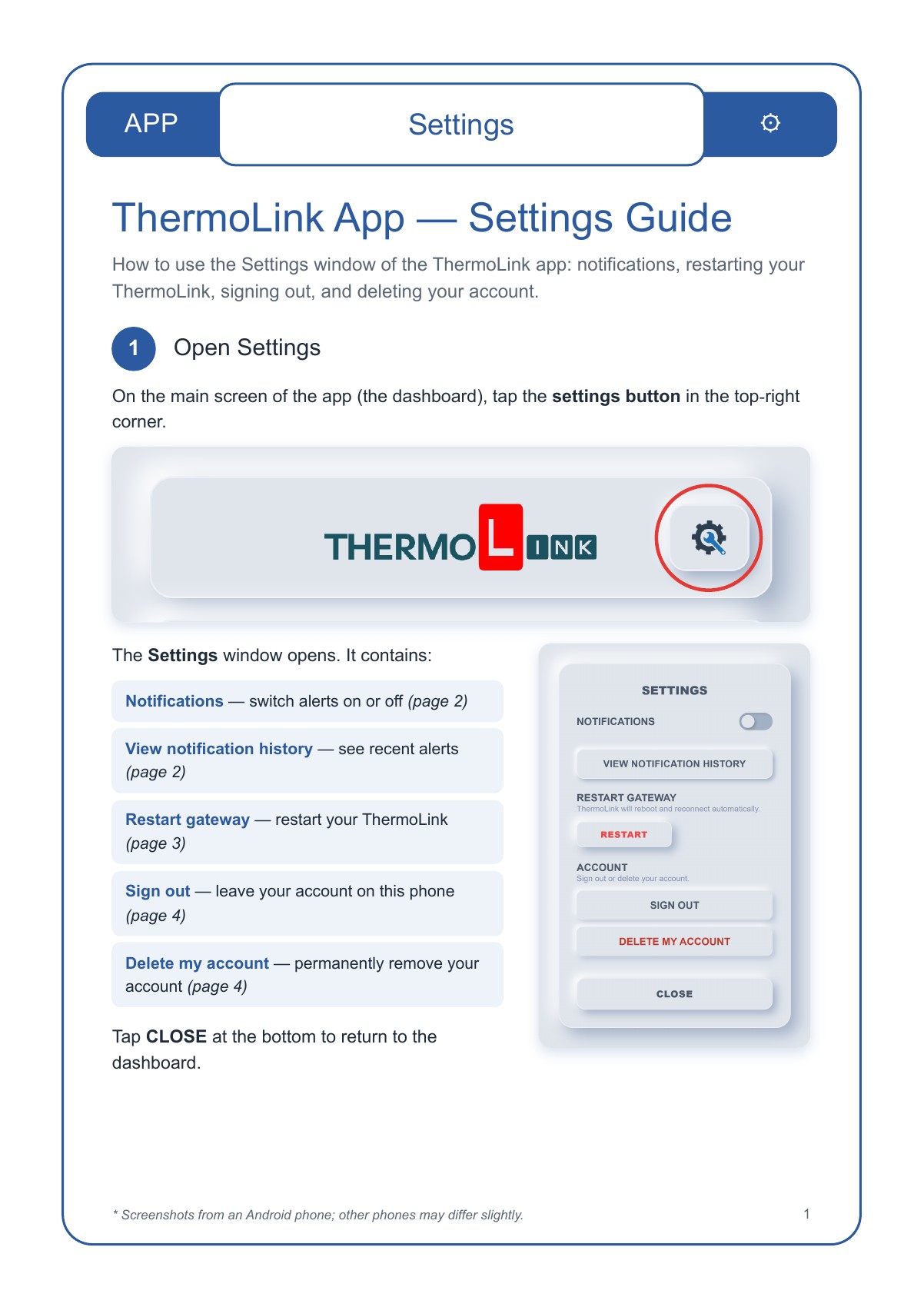
Read a text summary
Tap the settings gear at the top-right of the app dashboard. The Settings window contains Notifications, View notification history, Restart gateway, Sign out and Delete my account. Tap Close to return to the dashboard.
Notifications and alert history
2 / 4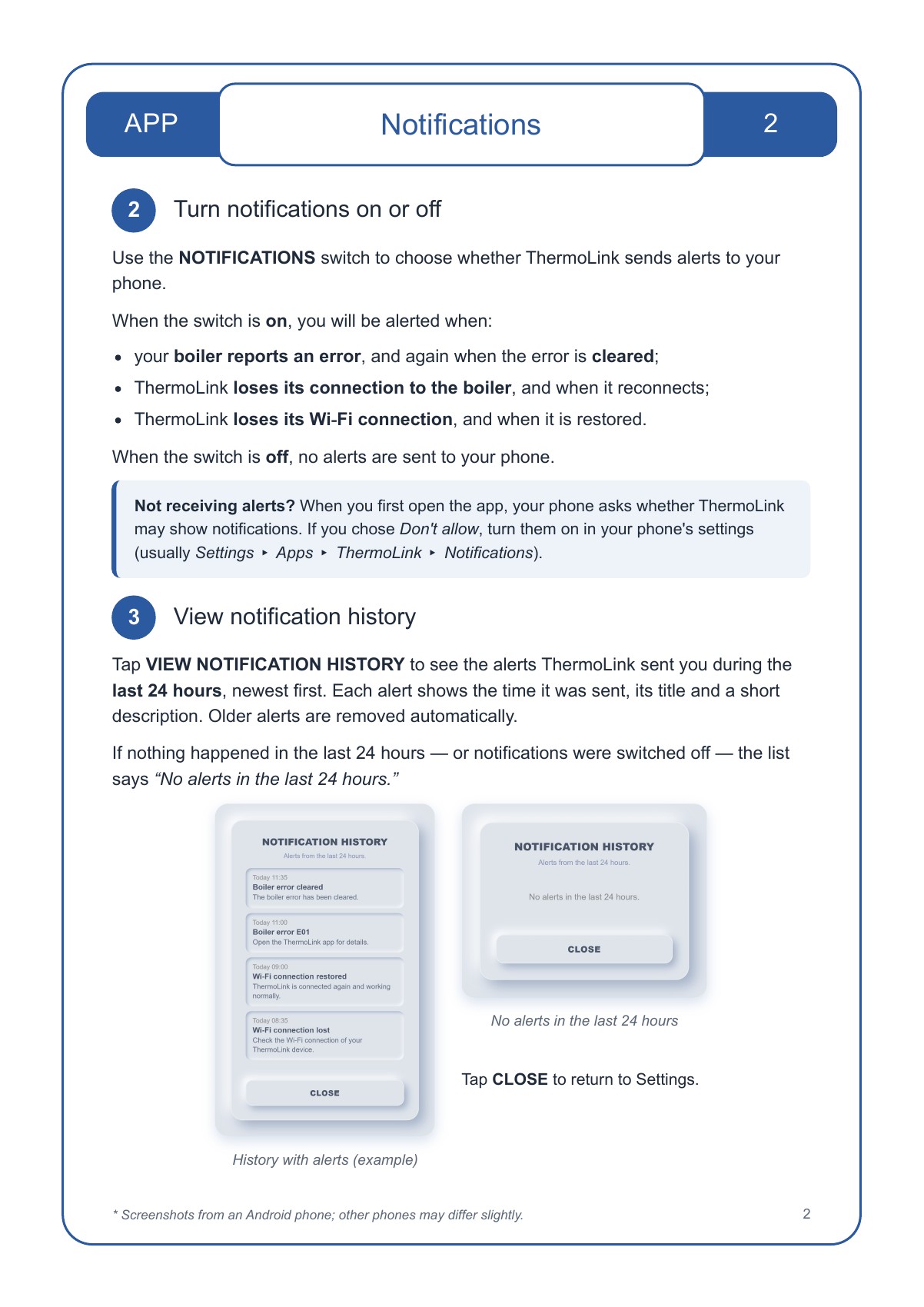
Read a text summary
Use Notifications to switch phone alerts on or off. Alerts cover boiler errors and their clearance, boiler connection loss and recovery, and Wi-Fi connection loss and recovery. If alerts do not arrive, check notification permission in your phone settings. View notification history lists alerts from the last 24 hours, newest first. Older alerts are removed automatically. Tap Close to return to Settings.
Restart your ThermoLink gateway
3 / 4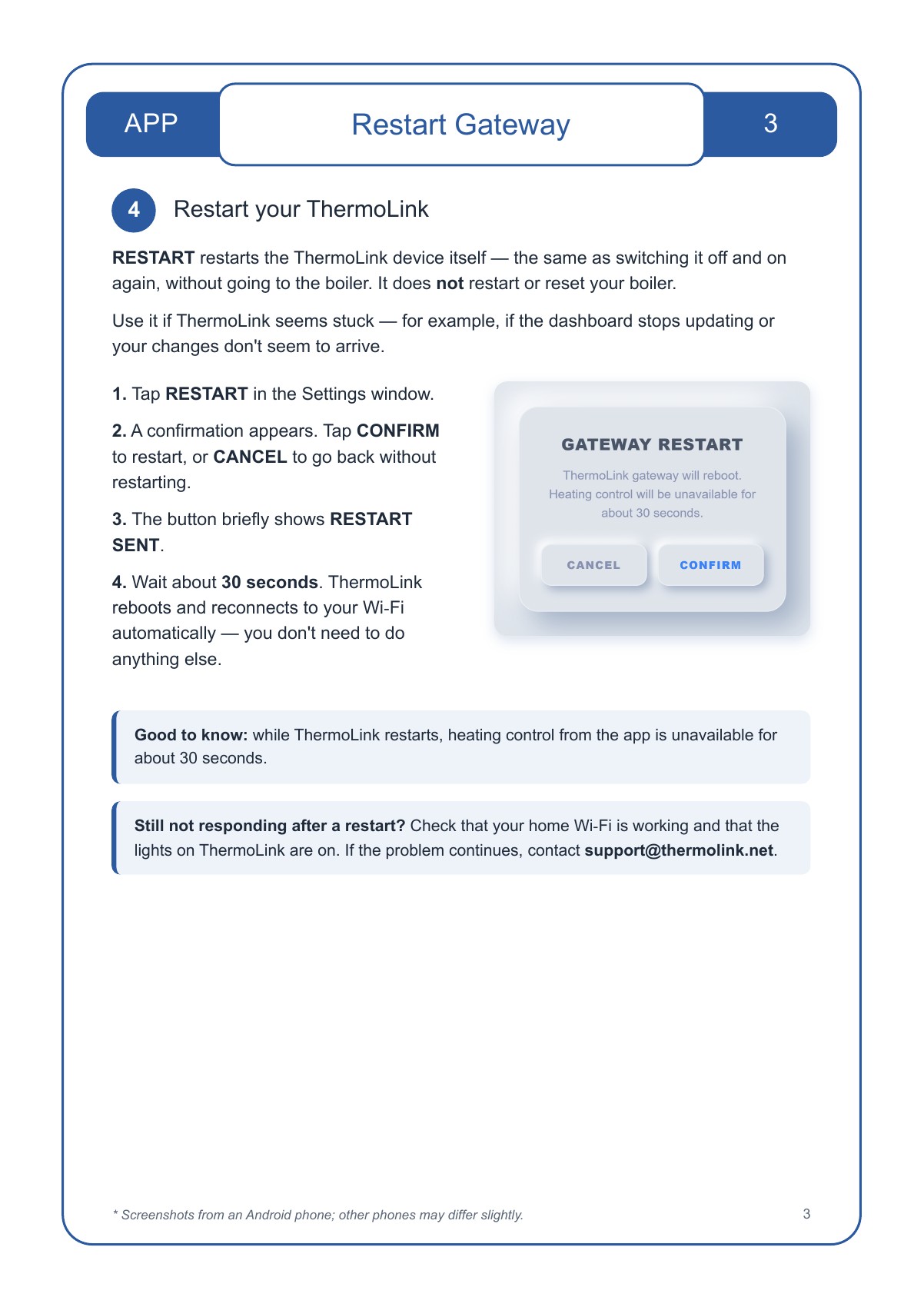
Read a text summary
Restart reboots the THERMOlink gateway, not the boiler. Tap Restart, then Confirm, or Cancel to go back. The button briefly shows Restart sent. Allow about 30 seconds for the gateway to reboot and reconnect to Wi-Fi; app heating control is unavailable during this time. If it still does not respond, check home Wi-Fi and the gateway lights, then contact support@thermolink.net.
Sign out and delete your account
4 / 4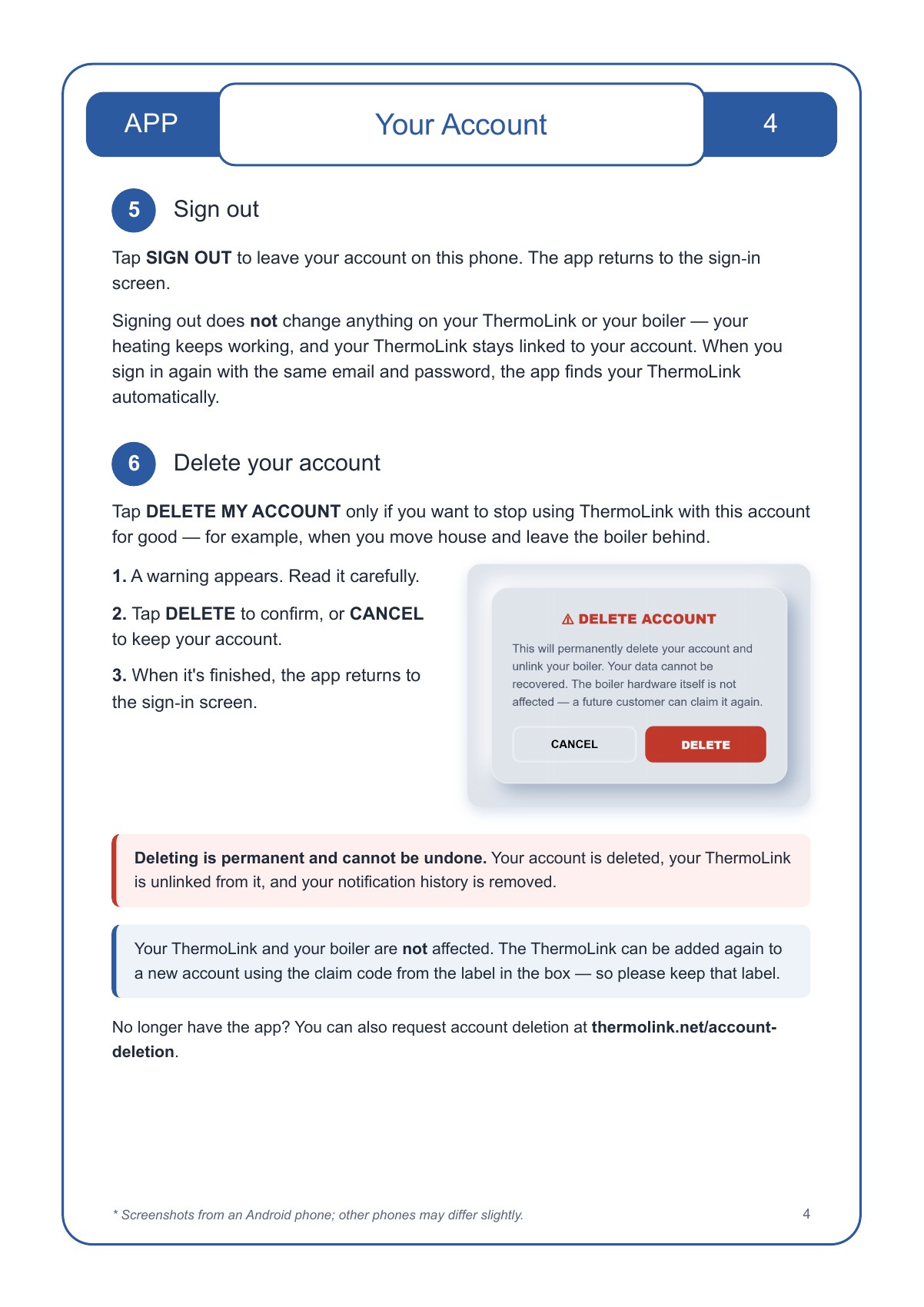
Read a text summary
Sign out leaves your account on this phone without changing the gateway or boiler. Signing in again with the same account finds your linked gateway. Delete my account permanently deletes the account, unlinks the gateway and removes notification history. Read the warning and choose Delete to proceed or Cancel to keep the account. The gateway and boiler are not affected, and the gateway can be added to a new account using the claim code from the box label. Keep that label. Account deletion can also be requested through the website account-deletion page.
Need a hand? Contact support or view account deletion instructions.